
GTFS Map Viewer
A GTFS feed is thousands of coordinates spread across text files. Put it on a map and it becomes a network you can read: where routes run, which areas they serve, and how the whole system fits the shape of the city.
Read the network the way it sits on the ground
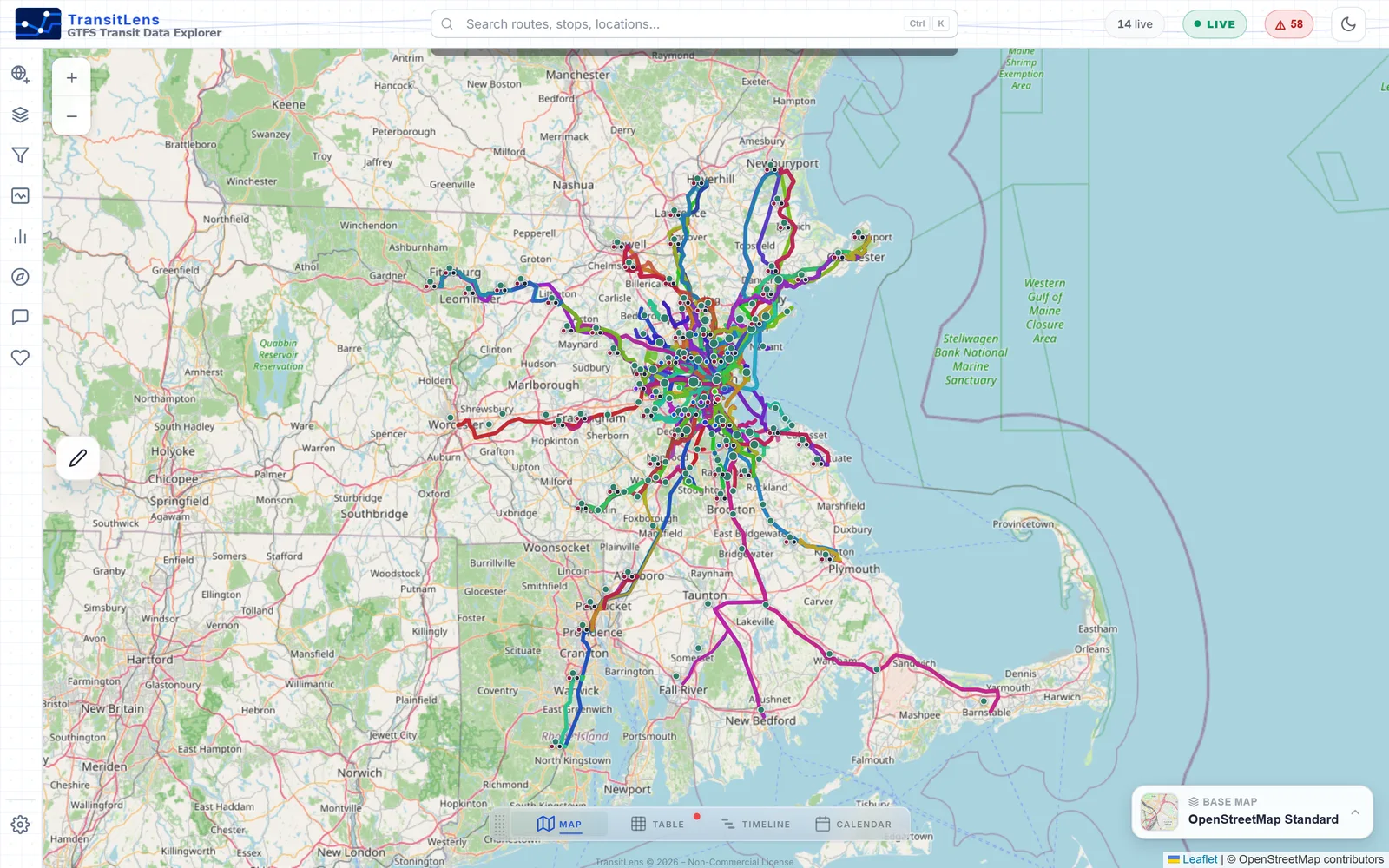
Take in the whole system at a glance
Open a feed and the complete network appears on one interactive map: every route drawn from its shape geometry in the agency's own colors, every stop at its true coordinates. Coverage, corridors and gaps become obvious before you touch a single table.
- See which areas the network serves and which it misses
- Spot shared corridors where routes overlap
- Zoom from a regional overview to a single platform
Understand how the network is structured
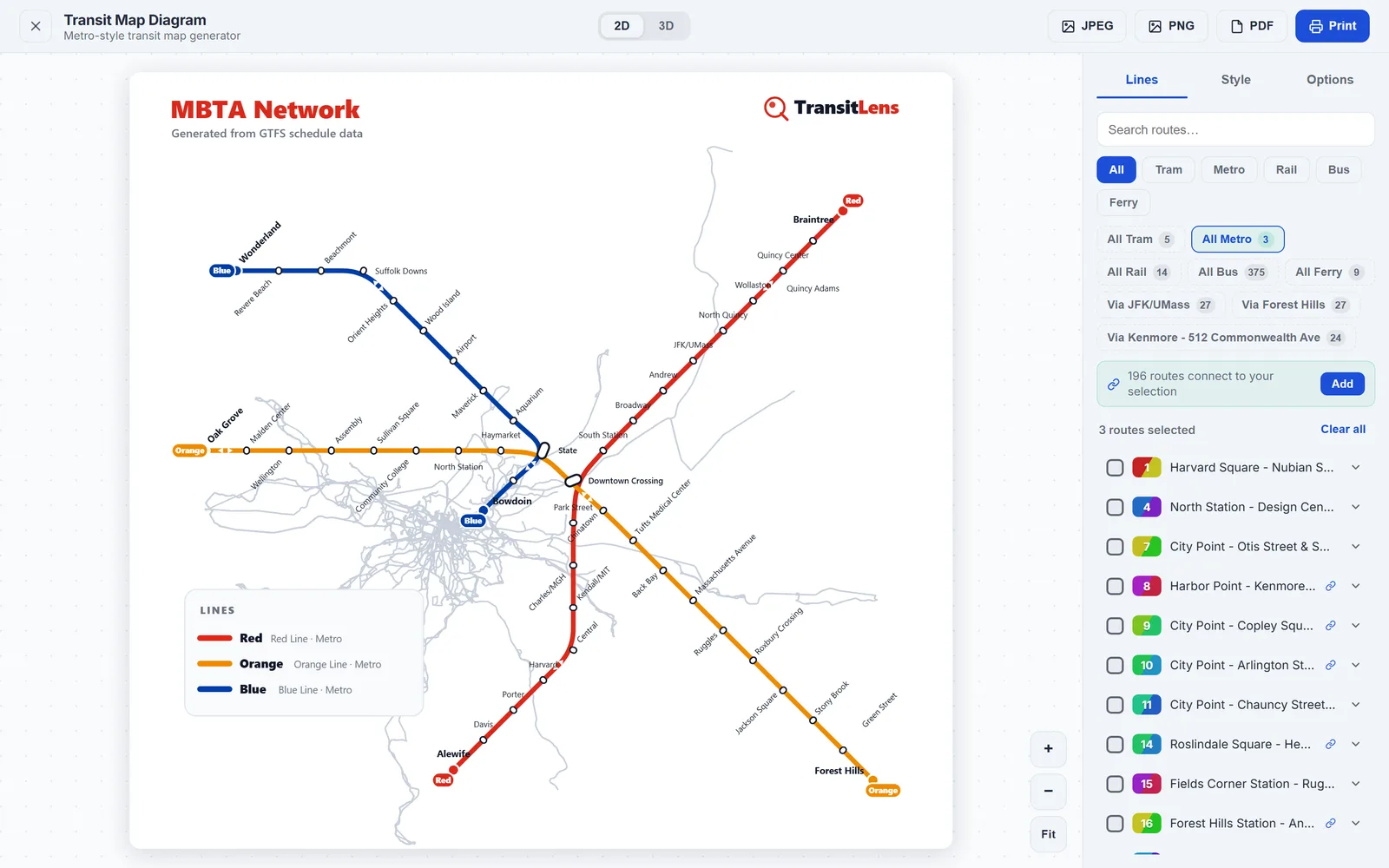
Geography shows where routes go; structure shows how they relate. TransitLens generates a metro style schematic straight from the feed, so trunk lines, branches and transfer points read clearly, ready to export for a slide or a report.
- A schematic diagram generated automatically from GTFS
- Trunks, branches and interchanges made legible
- Export to PNG or PDF for presentations
Ask about anything you can see
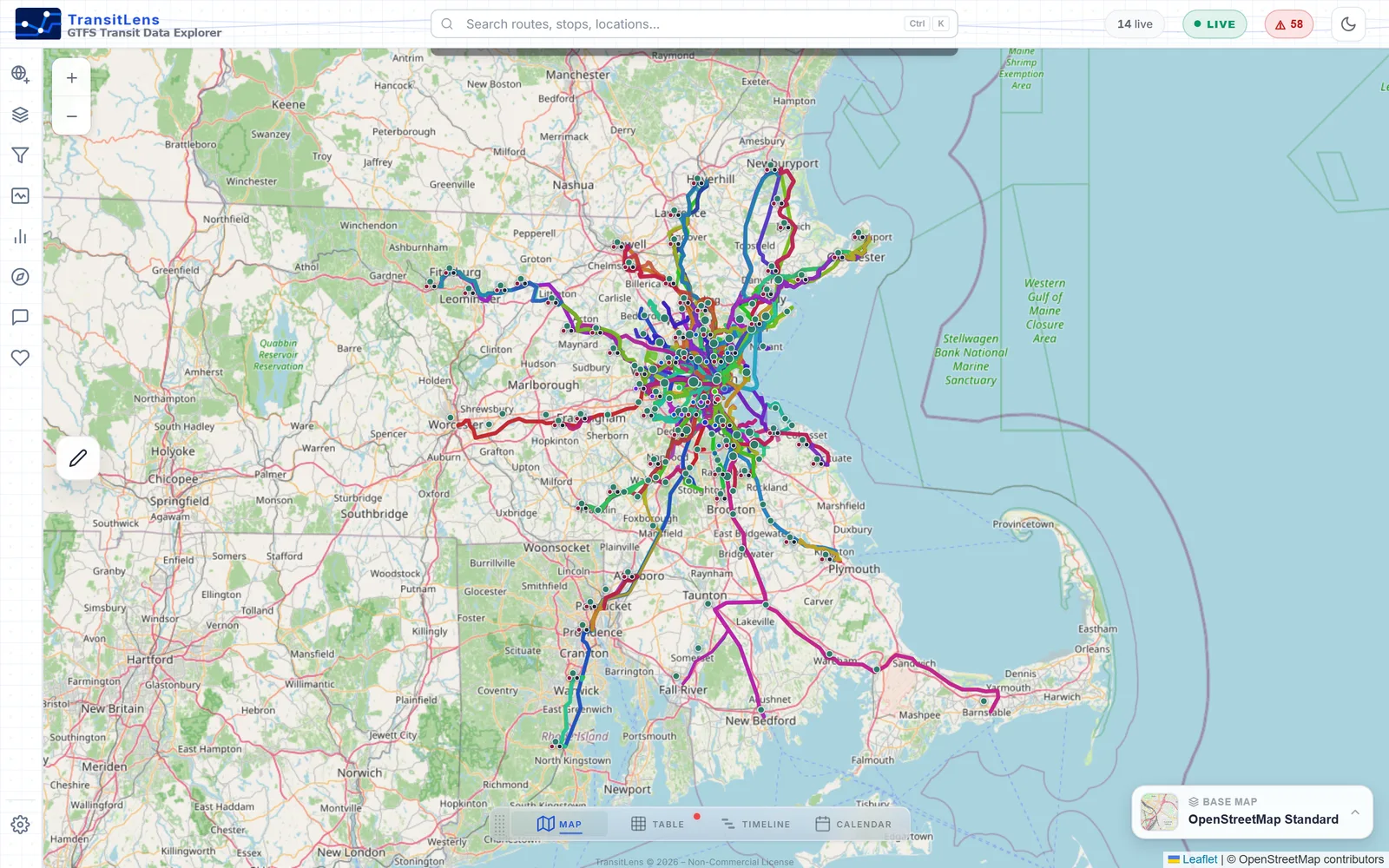
The map is not a static drawing. Click a route to trace its path and stops, click a stop to see what serves it, and filter by mode, agency or route to isolate the part of the network you care about.
- Route and stop details one click away
- Filters for mode, agency, route and time of day
- Draw an area to study just that part of the city
See how your network relates to districts, zones and boundaries
Transit rarely gets evaluated in a vacuum. Import GeoJSON or KML files and your own boundaries appear on the map alongside routes and stops, turning the viewer into a spatial analysis workspace.
Check coverage against real areas
Overlay a service area polygon and see immediately where routes and stops fall inside it, and where the boundary is served only at its edges.
Bring planning zones onto the map
Municipal borders, districts and administrative zones give service review and equity analysis the geographic context it needs.
Study catchments around destinations
Load catchment areas around hospitals, campuses or job centers to see which routes and stops actually reach them.
How to view a GTFS feed on a map
From a raw ZIP to a mapped network in under a minute.
Get a feed
Download a GTFS ZIP from a transit agency or an open data portal, copy a feed URL, or pick a public network from the built in catalog.
Open it in TransitLens
Drop the file into the app or paste the URL. Parsing happens locally in your browser, so local files stay on your machine.
Explore the map
The network appears with routes, stops and shapes in place. Filter, click, add boundary overlays and start answering spatial questions.
Curious how the underlying files fit together? Start with How to Read GTFS Data, or follow the Quick Start Guide for a full walkthrough.
Mapping without the GIS project
Mapped in seconds
No layer setup, no projections, no exports. Open a feed and the map is already there.
True geometry
Routes follow their real shapes and stops sit at their published coordinates.
Your boundaries too
GeoJSON and KML overlays put routes and stops in the context that matters to you.
Private by design
Feeds are parsed on your device and local files never leave your browser.
The map is one part of the workspace. The GTFS Viewer page covers data tables, route inspection, service timelines, calendars and feed health.