A fast, browser-based workspace for exploring routes, stops, calendars, and service patterns in any GTFS static feed.
Browse supported public transit feeds by country, inspect metadata, and import directly into TransitLens — no manual URL hunting required.
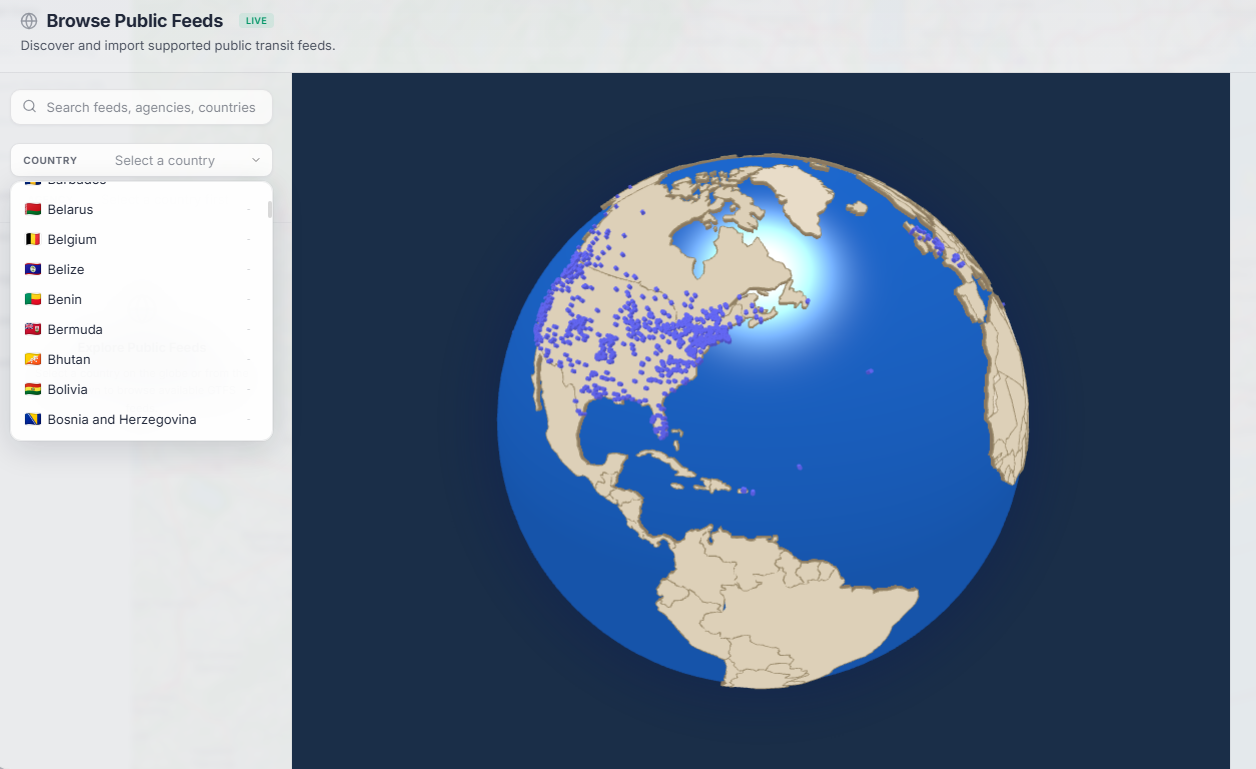
Browse feeds organized by country with search and filtering.
Review agency details, coverage area, and update frequency before importing.
Load any public GTFS feed directly into your workspace with one click.
Share a feed link with a colleague or bookmark it — one click opens it directly in TransitLens.
Sample feed: MBTA data provided under the MassDOT Developers License Agreement. TransitLens is not affiliated with or endorsed by MBTA. See data licensing details
A workspace designed for focus. Every detail helps you understand your feed faster.
Learn more about the GTFS Viewer for comprehensive feed exploration, or the Map Viewer for spatial analysis.
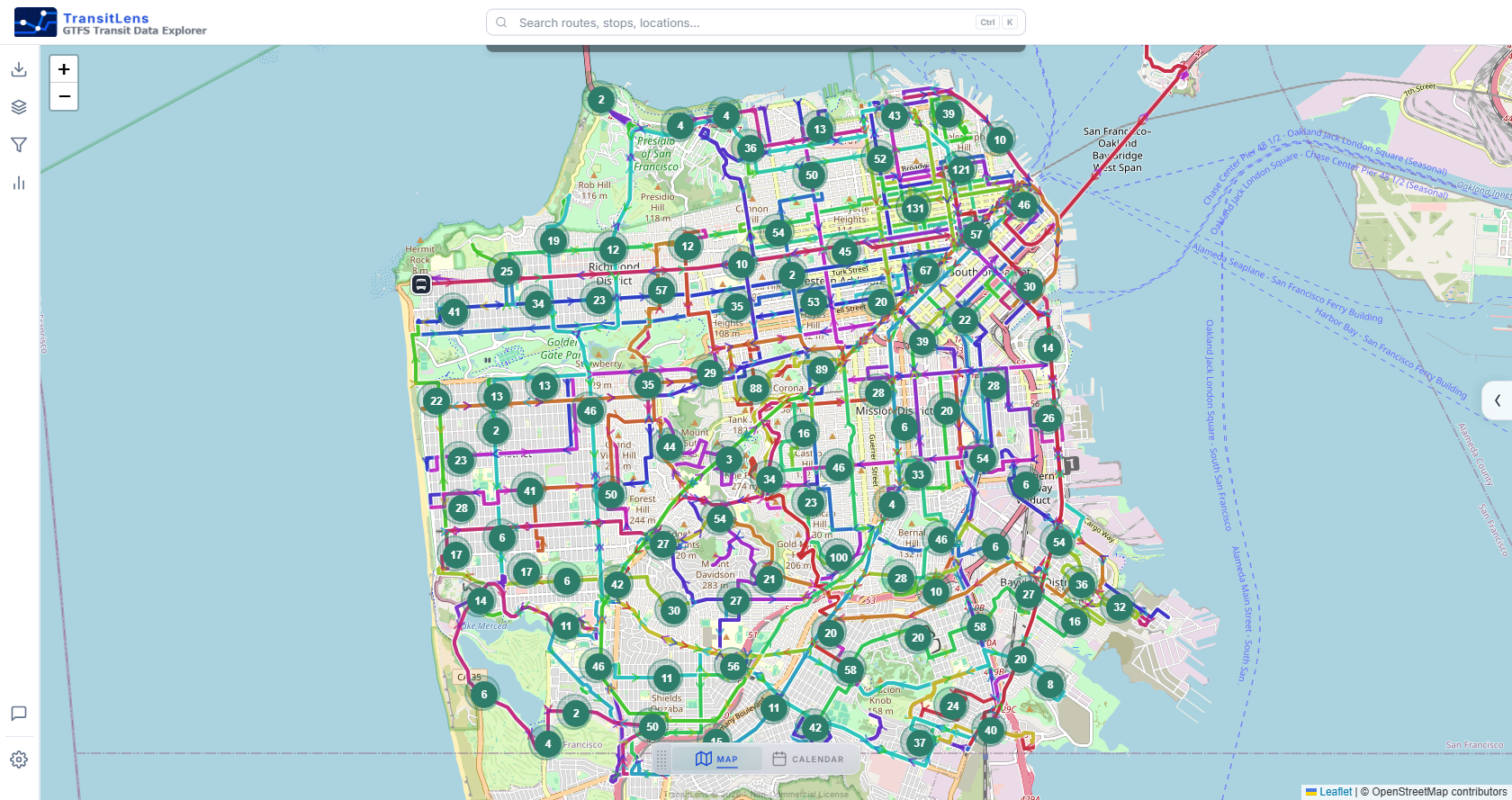
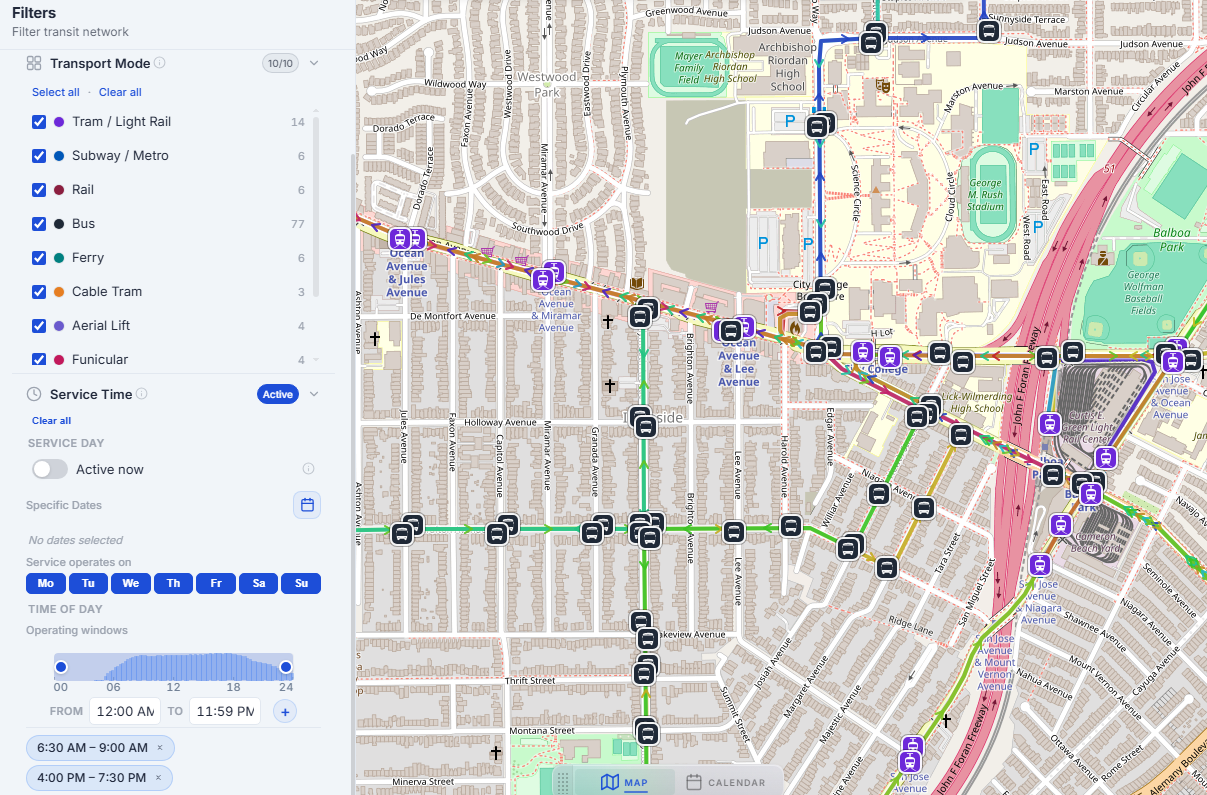
Load any GTFS feed and see routes and stops rendered on an interactive map. Filter by transport type, agency, route, type, or time window.
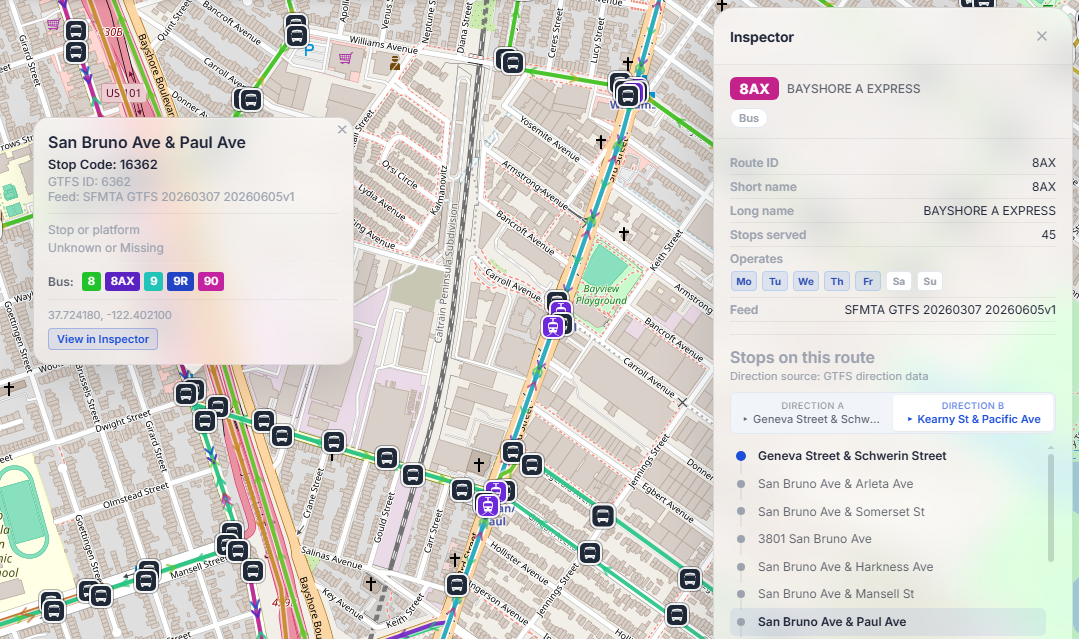
Navigate your network spatially. Filter by transport mode, agency, or time range. Inspect stops and routes for metadata and connections.
Use interactive heatmaps and calendar views to understand how service operates across the full feed date range. Identify gaps, seasonal changes, exception days, and differences between weekday and weekend service.
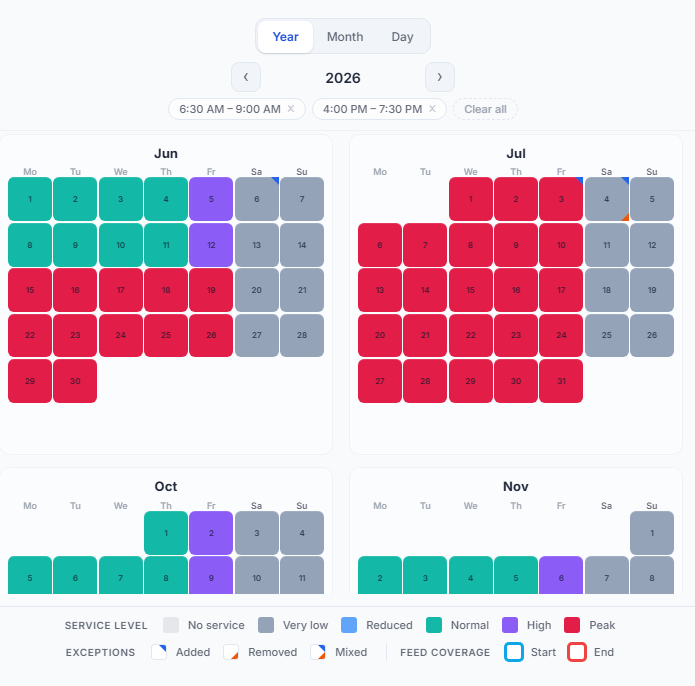
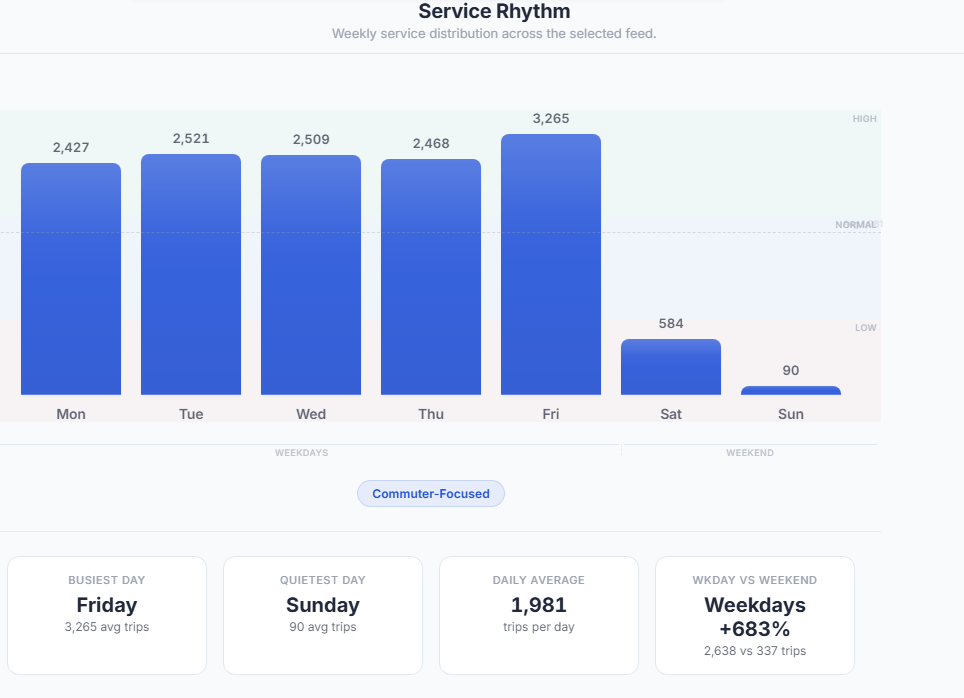
Built-in analytics reveal weekly service rhythm, peak activity, and operational insights. Quickly identify patterns, anomalies, and service gaps.
Navigate complex GTFS feeds with clarity. See routes, stops, and schedules come to life on an interactive map.
Browse every route and stop in an interactive map with filtering and inspection. Click to trace paths across the network.
Identify service patterns across days, weeks, and seasons. Calendar views reveal what raw data cannot.
Reveal frequency trends, peak hours, and service structure. Gain spatial and temporal insight into how your transit network operates.
Inspect routes and stops in sortable, searchable tables. Click any row to locate it on the map — structured access to every entity in your feed.
Whether you plan routes, analyze service, or just want to understand a feed, TransitLens gives you clarity without complexity.
Every feature maps directly to GTFS structures — routes, stops, trips, calendars, and shapes. Not a generic mapping tool.
Runs entirely in the browser. No server, no account, no installation. Processes feeds locally for speed and privacy.
Spatial and calendar views reveal patterns hidden in raw tables. See your network as a whole, not row by row.
Used by transit planners reviewing service, analysts comparing feeds, and enthusiasts exploring networks.
TransitLens continues to evolve with new analysis capabilities, data views, and exploration tools — including data tables, polygon import, and more.
Upload a feed and see your transit network in seconds. No setup, no account, completely free.
TransitLens is built as an independent GTFS analysis workspace. If the tool helps your work, research, agency review, or civic-tech project, you can support continued development or discuss sponsorship.